
 On Facebook
 On You Tube
Play Back
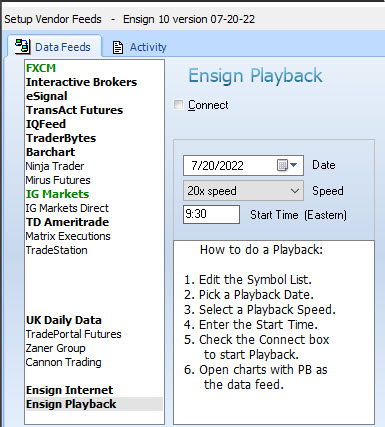
'Practice makes perfect', so the saying goes. A valuable teaching mechanism has always been practice, practice, and more practice. Ensign has a powerful feature called 'Play Back' that helps you practice your trading skills with real market data. To access the Play Back feature select Setup | Play Back from the ribbon menu.
You are invited to download Ensign and discover what Play Back can do for you. A live data-feed is not required to use this feature.
The Play Back feature allows you to open a chart and watch the tick-by-tick trading that occurred for a symbol on a specified day. The file can be Played anytime, just like a tape recorder can play its recordings. The played file will duplicate the trading day in actual time as if you were trading the markets in real-time. You can optionally increase the Play Back speed up to 20 times faster than the actual speed. This feature is a fantastic tool that allows you to practice your trading skills with real market data.
read more » Play Back
read more » Chat Room
watch video » Play Back
home |
features |
downloads |
order |
help |
risk disclosure and disclaimer* |
contact us | find Ensign on


Ensign Software Support: 801-328-1382 Ensign Billing: 208-552-2230
© 2024 Ensign Software, Inc. All Rights Reserved